
Content extends beyond the trim or safety area
Every printed book is trimmed with a small tolerance, so anything closer than about a quarter of an inch to the edge risks being cut off or swallowed by the binding. Bleed works in the opposite direction: artwork meant to reach the edge must extend past the trim line by an eighth of an inch. Getting these two backwards is the usual cause of this rejection.
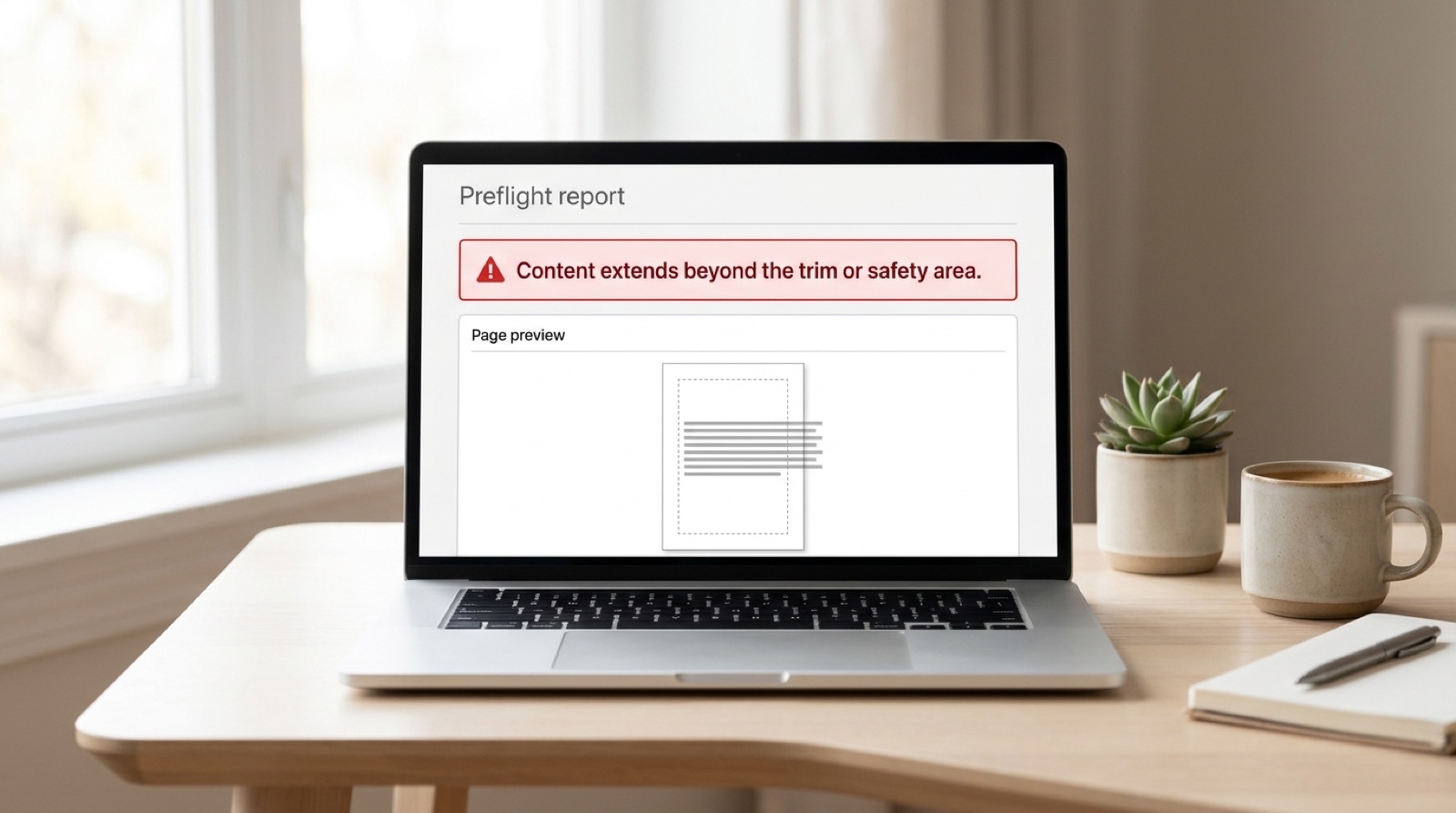
Content extends beyond the trim or safety area.
The wording of this message is confusing because it covers two opposite mistakes: content that is too close to the edge, and content that does not reach far enough past it. Both fail, for different reasons.
Three lines that are not the same thing
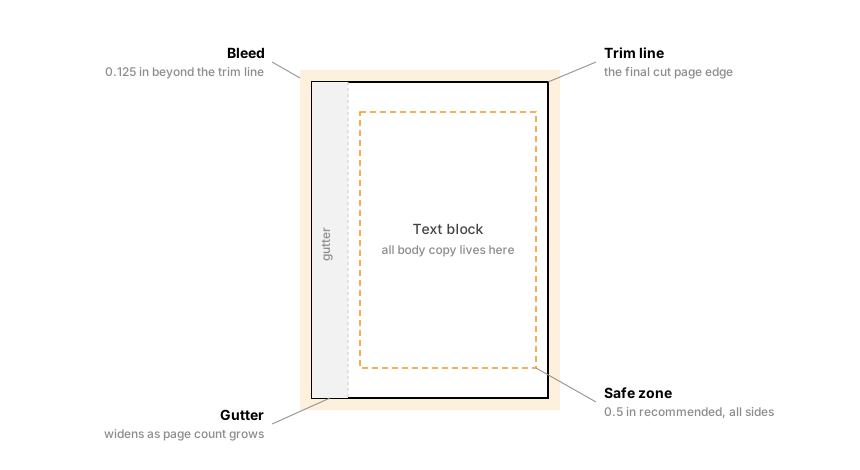
- The trim line is where the guillotine cuts. It is the final page edge, and the size you told the printer your book would be.
- Bleed is the margin of artwork outside the trim line, normally 0.125 in. It exists to absorb cutting tolerance. Covers bleed on all four sides; interiors bleed on three, never on the bind edge.
- The safe zone is the area inside the trim line within which all important content must sit. Ingram recommends 0.5 in on an interior and 0.25 in on a cover.
Why bleed exists at all
Books are trimmed in stacks, and the blade drifts fractionally through the stack. A tolerance of a sixteenth of an inch is entirely normal.
If a background color stops exactly at the trim line and the blade lands a hair outside it, you get a thin white sliver along the edge of the printed book. Extending the artwork an eighth of an inch past the line means the blade cuts through artwork wherever it lands, and the result is a clean edge every time. The bleed area is designed to be thrown away.
This is why "my artwork is exactly 6 by 9 inches" is not correct for a full bleed design. It needs to be 6.25 by 9.25 for a 6 by 9 book, with the extra eighth on every side.
Why the safe zone exists
The same tolerance runs the other way. Text sitting an eighth of an inch from the trim line might survive, or might lose its outer edge. A quarter of an inch is the practical minimum, and most professionally set books use considerably more for the sake of how the page looks rather than because the press demands it.
The gutter is the one people get wrong
The inner margin, running along the bound edge, is a different problem from the outer three. Trimming has nothing to do with it. A perfect bound book does not open flat, so the inner portion of each page curves down into the spine where the reader cannot comfortably see it.
The thicker the book, the more pronounced the curve, so the gutter has to grow with the page count. Both major platforms publish the same scale.
| Page count | Minimum inside (gutter) margin |
|---|---|
| 24 to 150 | 0.375 in |
| 151 to 300 | 0.5 in |
| 301 to 500 | 0.625 in |
| 501 to 700 | 0.75 in |
| 701 and above | 0.875 in |
Ingram asks for at least 0.5 in around the text block generally, and a further 0.125 in white strip along the bind side on perfect bound and hardcover books, so images and background color stop short of the trim edge on that side.
The trap: these bands are keyed to your final page count. A book that grows from 148 to 155 pages during editing crosses a band boundary, and a gutter that was compliant becomes non-compliant without anyone touching the margins.
The usual casualties
- Page numbers and running heads sit closest to the edges by design, so they are the first things to fall outside the safe zone. Folios placed in the outer corner are especially exposed.
- Full bleed cover art with no bleed. The design reaches the edge of the canvas, but the canvas is trim size rather than trim plus bleed.
- The barcode area. A barcode is mandatory on every cover, and if you are not supplying your own, Ingram asks for a clear area of at least 1.75 by 1 in on the back cover. Artwork running through it will be rejected or will have a barcode printed over it.
- Interior images set to the page. An image intended to bleed needs to extend past trim like any other artwork.
- Word documents, whose default margins bear no relationship to book production. Word has no concept of bleed at all.
How to fix it properly
- Confirm your final page count and find your gutter band in the table above.
- Set the document up correctly rather than adjusting afterwards. In InDesign that means the correct trim size, 0.125 in bleed on the top, bottom and outside edges with none on the bind edge, and margins that satisfy the gutter band.
- Pull content back inside the safe zone, including folios and running heads.
- Extend anything meant to bleed fully to the bleed line, not to the trim line.
- Leave the barcode zone clear on the back cover.
- Export with bleed included, which is the step people miss. In InDesign's export dialogue, under Marks and Bleeds, tick "Use Document Bleed Settings". Without it, a correctly built file exports at trim size and the bleed you carefully added is discarded.
The most common invisible failure: the file is built correctly with bleed, and then exported without it. The document was right. The PDF is not. Always check the exported PDF's page size: for an interior that is trim plus 0.125 in in width and trim plus 0.25 in in height, since the bind edge carries no bleed.
Do not scale to fix it
Shrinking the whole page to bring content inside the safe zone changes the trim size, which no longer matches the size declared in your printer account, which is an automatic rejection on its own. The content has to move within a page that stays the size you said it was.
If the page count changed recently
A page count that moved during editing can break the gutter band and the spine width at the same time, because both are derived from it. If you have recently added or cut pages, check both before resubmitting. Why your spine width changed covers the other half of that problem.
Frequently asked questions
What is the difference between trim, bleed and safe zone?
The trim line is where the page is cut and equals your final book size. Bleed is artwork extending 0.125 in outside the trim line, which absorbs cutting tolerance so no white sliver appears at the edge. On an interior it goes on the top, bottom and outside edges only, never on the bind edge. The safe zone is the area inside the trim line within which all important content must sit, and Ingram recommends 0.5 in on interiors and 0.25 in on covers.
How much bleed does a book cover need?
A cover takes 0.125 in on all four sides. An interior is different: bleed goes on the top, bottom and outside edges only, and Ingram is explicit that adding it to the bind edge causes incorrect positioning. A 6 by 9 in interior page with bleed is therefore 6.125 by 9.25 in rather than 6.25 by 9.25 in. The extra eighth of an inch is designed to be trimmed away, which is what guarantees a clean printed edge.
Why does my gutter margin need to be bigger for a longer book?
Because a perfect bound book does not open flat, and the inner edge of each page curves into the spine. The thicker the book, the more pronounced the curve. Gutter minimums therefore scale with page count, from 0.375 in for books up to 150 pages to 0.875 in for books of 701 pages and above.
My file looks correct but was still rejected for bleed. Why?
The most likely cause is that the document was built with bleed but exported without it. In InDesign's export dialogue, under Marks and Bleeds, you must tick Use Document Bleed Settings. Otherwise the PDF is produced at trim size and the bleed is discarded. Check the exported PDF's page size. An interior page should measure trim plus 0.125 in in width and trim plus 0.25 in in height, because the bind edge carries no bleed.
Can I scale my pages down to fix a safe zone error?
No. Scaling changes the trim size, which will then no longer match the size declared in your printer account, and that mismatch is an automatic rejection by itself. Move the content inward within a page that stays exactly the size you specified.
Stuck on a rejected file?
File Fix diagnoses every reason your file was refused, not just the one the printer named. Diagnosis back in three to five business days, from $99.
Get your files fixed