
Why your file was rejected a second time for a different reason
Nothing has gone wrong with your fix. Print-on-demand preflight systems stop at the first fault they encounter and report that one, rather than listing everything wrong with the file. A file with four problems will be refused four times, one problem at a time, with a two day wait between each. The loop ends when something checks the file against every rejection cause at once.
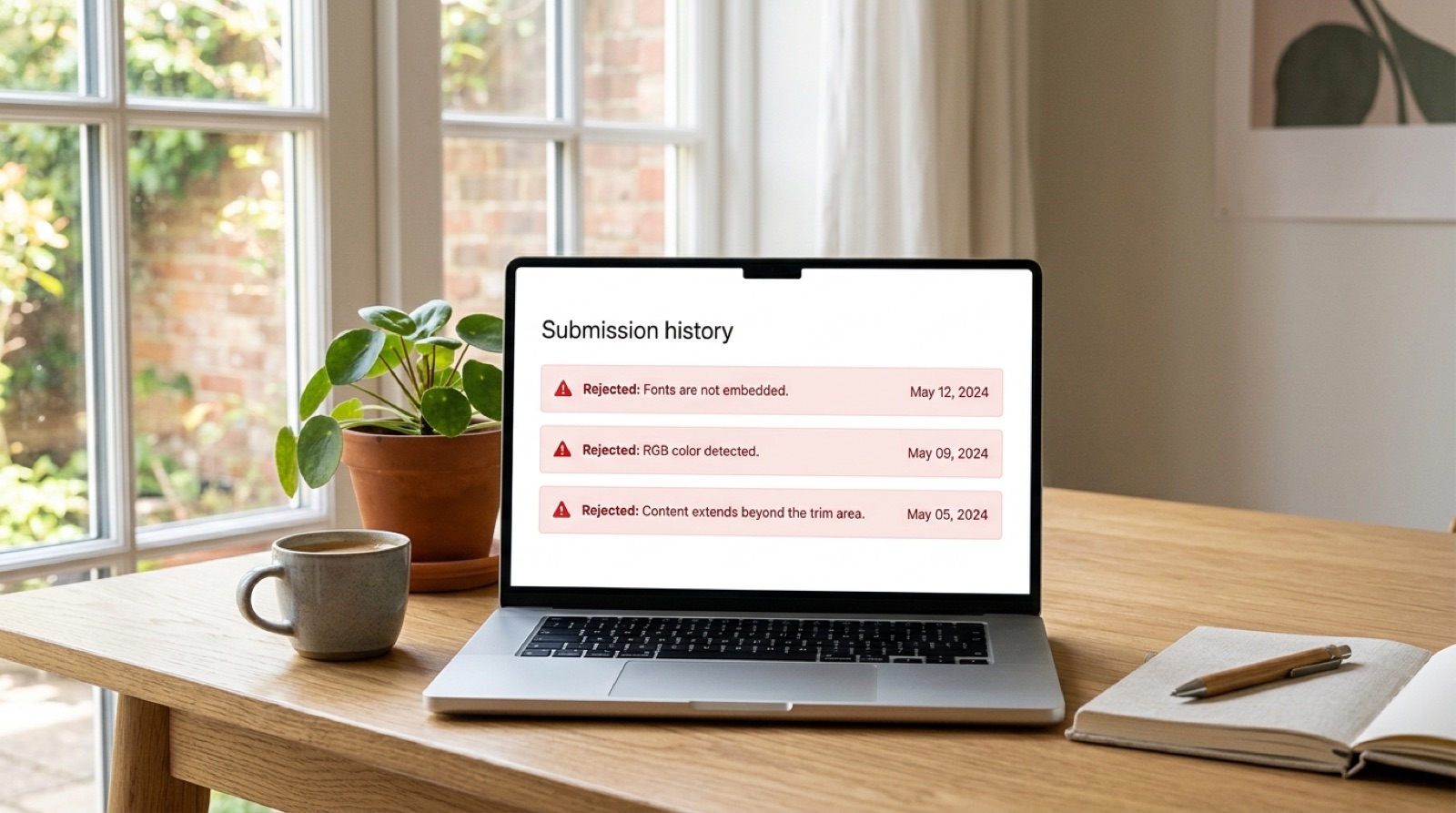
Every author who has been through this describes it the same way: it feels personal, as though the printer is inventing new objections. It is not. It is a straightforward consequence of how automated preflight works, and once you see the mechanism the fix becomes obvious.
What is actually happening
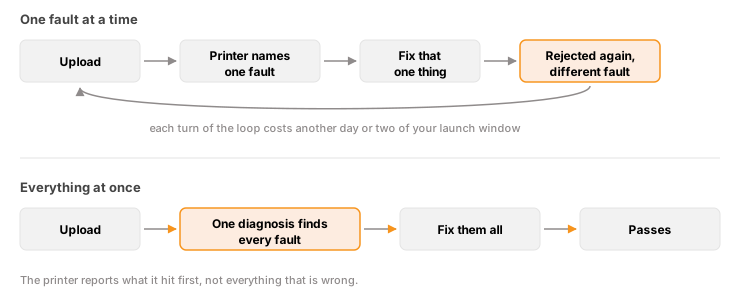
Preflight is a sequence of tests. The file enters, the first test runs, and if it fails the process stops and returns that message. The remaining tests never execute, because there is no point checking the color space of a file that has already been refused for unembedded fonts.
So the message you receive is not a summary. It is a bookmark showing how far the file got. When you fix that one fault and resubmit, the file travels further and hits the next test. From your side it looks like a new problem appeared. From the system's side it was always there.
What this costs
Each cycle is not just an upload. It is a correction, a re-export, a resubmission, and then a wait while the file is processed. Two or three days is normal. Four faults handled sequentially can consume two weeks, and that is assuming every fix is correct first time.
The real damage is rarely the file. It is the launch date, the pre-orders, the advertising already booked, and the print run that was supposed to arrive before an event. Authors do not usually come to us because they cannot fix a PDF. They come because they have run out of runway.
Why faults cluster
Multiple faults in one file is the normal case, not the unlucky one, because the same root cause produces several symptoms at once.
- A file exported from the wrong tool will typically have unembedded fonts, RGB color, live transparency and no output intent, all at the same time. That is four separate rejections from one wrong menu choice. See the PDF/X-1a error explained.
- A late edit to the interior changes the page count, which changes the spine width, which invalidates the cover. It may also push a running head outside the safe margin on the reflowed pages.
- A cover assembled from stock artwork often carries RGB images, an image below 300 DPI at final size, and ink density above the limit, because the source images were prepared for screen.
- A template generated before the specifications were locked produces a wrap with the wrong spine and, frequently, a barcode area that is no longer clear.
One decision, several rejections. This is why the sequence feels arbitrary and is in fact highly predictable.
How to break the loop yourself
Stop resubmitting to find out what is wrong. The printer is a slow and expensive diagnostic tool. Check the file against every common cause in one pass instead.
- Run a full preflight. In Acrobat Pro, Tools, Print Production, Preflight, then the PDF/X-1a:2001 profile. This lists every violation at once rather than the first.
- Check fonts under File, Properties, Fonts tab. Every entry should read Embedded or Embedded Subset.
- Check for RGB. Output Preview, with "Show objects in" set to RGB, highlights anything that is not CMYK.
- Recalculate the spine from the current page count and paper stock, and compare it to the cover you built. See why your spine width changed.
- Check image resolution at final print size, not at the size the image was supplied.
- Check margins and safe area against the page count band you now fall into. See content extends beyond the trim or safety area.
- Check total ink coverage if the cover is dark. See the 240 percent limit.
Fix everything the sweep finds before you upload again. One informed submission beats four hopeful ones.
The one habit that prevents most of this: treat the printer's message as evidence of where the file stopped, not as a description of what is wrong with it. Then go looking for what else is in there.
Keep the exact wording
Whatever you do, keep the precise text of every rejection notice you have received. The specific phrasing distinguishes faults that sound similar and would otherwise take a long time to tell apart. A message about the cover not matching the title's specifications is a different problem from one about content extending beyond the trim area, even though both sound like sizing.
If a sequence of notices has built up, the sequence itself is diagnostic. It tells you exactly how far the file has been getting, and therefore which tests it has already passed.
When it is worth handing over
There is no shame in either answer here. If you have production tools and time, the sweep above is entirely doable and this article is genuinely all you need.
If you are three rejections deep with a launch date approaching, the calculation is different. What you are buying is not a PDF edit. It is the removal of the loop: one diagnosis that names every fault at once, so the next upload is the last one.
Frequently asked questions
Why does my file keep getting rejected for different reasons?
Because preflight stops at the first fault it finds and reports only that one. The remaining checks never run. When you fix the fault you were told about, the file travels further on the next submission and hits the next test. The other problems were always present, just hidden behind the first.
How many times can a book file be rejected?
There is no fixed limit, but each cycle typically costs two to three days between correction, re-export, resubmission and processing. A file with four separate faults handled one at a time can consume two weeks, which is why the loop damages launch dates more than it damages files.
Is it normal to have several problems in one file?
Yes, it is the usual case. A single wrong decision tends to produce several symptoms. Exporting from a tool that cannot produce PDF/X-1a creates unembedded fonts, RGB color, live transparency and a missing output intent simultaneously, which is four rejections from one menu choice.
How do I find all the problems at once?
Run Acrobat Pro's Preflight with the PDF/X-1a:2001 profile, which lists every violation together, then separately check font embedding, RGB content, spine width against current page count, image resolution at final print size, safe margins for your page count band, and total ink coverage on dark covers.
Should I keep the printer's rejection emails?
Yes. Keep the exact wording of every notice. The precise phrasing separates faults that sound alike, and the sequence of notices shows how far the file is getting, which tells you which checks it has already passed.
Stuck on a rejected file?
File Fix diagnoses every reason your file was refused, not just the one the printer named. Diagnosis back in three to five business days, from $99.
Get your files fixed