
KDP vs IngramSpark: why a file that passes one fails the other
The two platforms fail files for different reasons. IngramSpark rejects on PDF standards compliance, requiring strict PDF/X-1a:2001 with CMYK and flattened transparency. KDP rejects on dimensional accuracy, requiring the cover to match its calculated size exactly. This is why authors who publish successfully on KDP are so often blindsided by IngramSpark: the file was never wrong, it was built to looser rules.
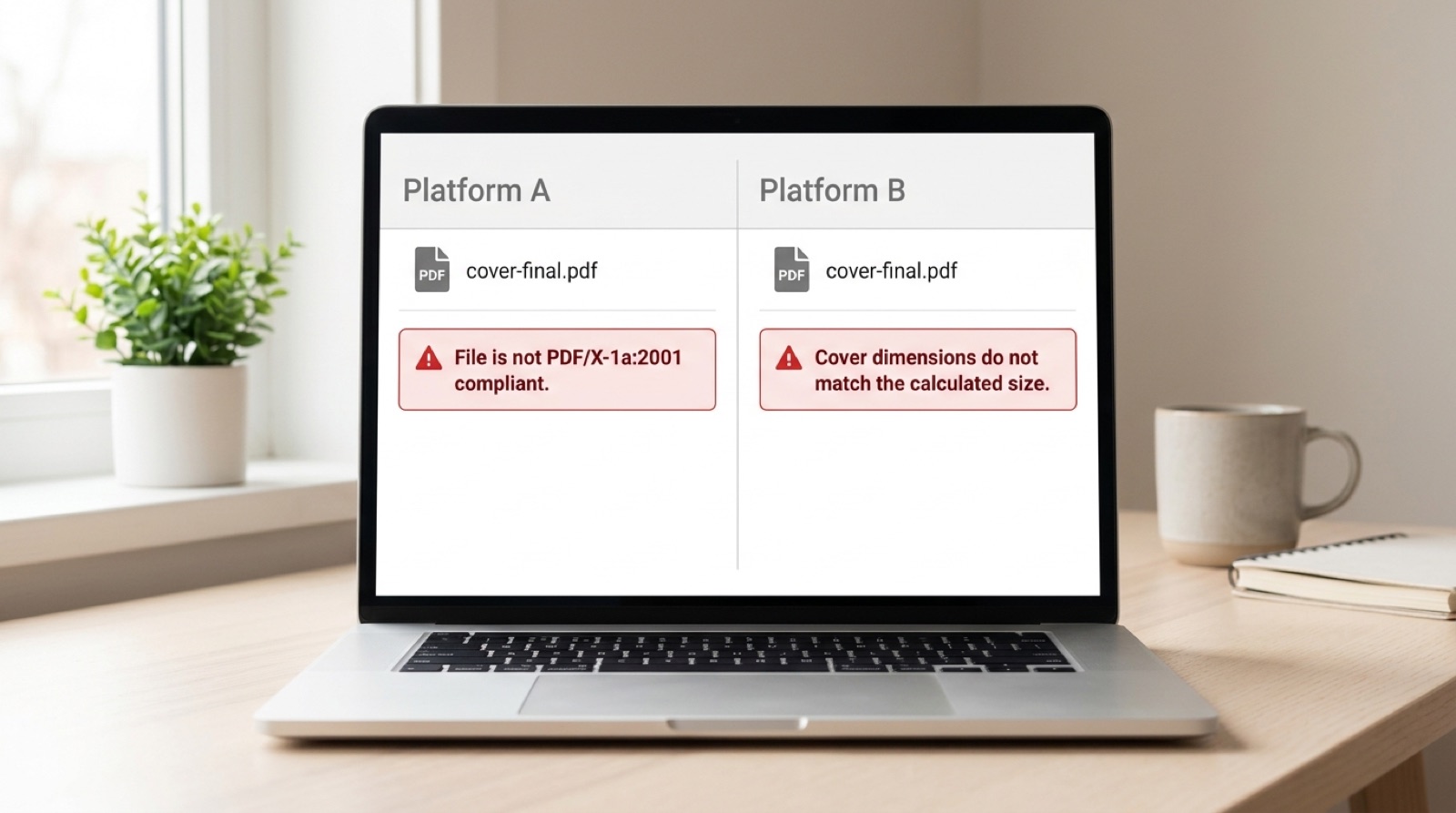
If you distribute through both platforms, you need two correctly sized covers, not one. That single sentence saves more launches than any other piece of advice in this article, and it surprises nearly everyone who hears it.
The core difference in one line
KDP accepts a fairly ordinary PDF as long as the dimensions are exact. IngramSpark demands a specific print standard and will refuse a dimensionally perfect file that does not meet it. Neither platform is stricter overall. They are strict about different things.
Side by side
| Requirement | IngramSpark | Amazon KDP |
|---|---|---|
| PDF standard | PDF/X-1a:2001 or PDF/X-3:2002 | PDF/A or PDF 1.4 and later; no PDF/X requirement |
| Color space | CMYK only | Grayscale, sRGB or CMYK all accepted |
| Transparency | Must be flattened | Should be flattened on covers |
| Output intent | Required | Not required |
| Total ink coverage | 240 percent recommended maximum | Not published as a hard limit |
| Spine, white paper | pages x 0.002252 in | pages x 0.002252 in |
| Spine, cream paper | pages x 0.0025 in | pages x 0.0025 in |
| Bleed | Interiors 0.125 in on three edges, never the bind edge; covers all four | 0.125 in on all sides where content runs to the edge |
| Minimum image resolution | 300 DPI; interiors refused under 72 PPI, covers may be refused under 200 PPI | 300 DPI minimum |
| Spreads | Refused; single pages only | Single pages only |
| Barcode clear zone | At least 1.75 x 1 in on the back cover if you do not supply a barcode | Generated by KDP; leave the area clear |
| Odd page counts | Not accepted | Rejected |
Gutter margins: the same numbers, different consequences
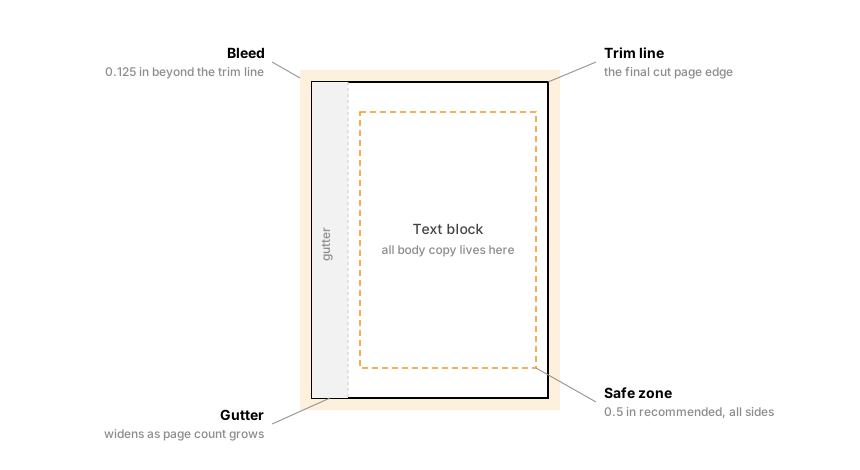
Both platforms scale the inside margin with page count, and the published minimums line up closely.
| Page count | Minimum inside (gutter) margin |
|---|---|
| 24 to 150 | 0.375 in |
| 151 to 300 | 0.5 in |
| 301 to 500 | 0.625 in |
| 501 to 700 | 0.75 in |
| 701 and above | 0.875 in |
Ingram recommends at least 0.5 in around the text block on interiors, and a further 0.125 in white strip along the bind side on perfect bound and hardcover books, because a thick book does not open flat and the inner margin visually disappears into the curve.
Where the trouble actually starts
Spine width is calculated, not chosen
Both platforms derive the spine from your final page count and paper stock. The multipliers happen to match, which lulls people into assuming one cover will serve both. It will not, because the two systems apply those numbers within different overall wrap dimensions and different bleed conventions, and because the paper stock options are not identical between them. A wrap built to one template lays the spine in the wrong place on the other, and when the spine moves the front and back panels move with it.
We have written this up in full in why your spine width changed when you did not touch the cover.
Color is the quiet one
KDP accepts sRGB. IngramSpark does not accept RGB at all. This is the single most common reason a file that published happily on KDP is refused by IngramSpark, and it is invisible on screen because your monitor is an RGB device.
Converting is not a mode switch either. The vivid blues, oranges and greens that sit comfortably in RGB fall outside what four inks can reproduce, and they will shift on press unless someone corrects for them deliberately. A cover that looked electric on Amazon can arrive from Ingram looking muted, and nothing was technically wrong at any stage.
Ink density only matters on one of them
IngramSpark recommends total ink coverage stays at or below 240 percent, and may refuse files above it. KDP publishes no equivalent hard limit. A dark, moody cover that KDP prints without comment can be refused by Ingram, or accepted and then printed with set-off and blotching. Total ink coverage and the 240 percent limit explains what the number means.
The practical order of operations
If you intend to be on both platforms, build for IngramSpark first. Its requirements are a superset of KDP's in almost every respect that matters: CMYK, flattened transparency, embedded fonts and controlled ink density are all either required or harmless on KDP. Going the other way means retrofitting a standard onto a file that was never built to it.
Then produce a second cover wrap from KDP's own template for the KDP edition. Do not resize the Ingram wrap. Generate a fresh one.
The one thing to take away: two platforms means two cover files. The interior can often serve both if it was built to the stricter standard. The cover almost never can, because the wrap dimensions are calculated by each platform separately.
What neither platform will tell you
Both systems report the first problem they hit, not every problem in the file. That is why a file can be refused three times for three different reasons without anything new having gone wrong. If you are in that loop now, this article explains the mechanism and how to break out of it.
Frequently asked questions
Can I use the same cover file for KDP and IngramSpark?
No. Each platform calculates the full cover wrap from its own template, and the two do not produce identical dimensions even though the spine multipliers match. A wrap built for one places the spine in the wrong position on the other, which moves the front and back panels too. If you distribute through both, you need two correctly sized covers.
Which is stricter, KDP or IngramSpark?
Neither overall, but they are strict about different things. IngramSpark enforces PDF standards compliance, requiring PDF/X-1a:2001 with CMYK, embedded fonts, flattened transparency and a declared output intent. KDP is more relaxed about the PDF format but unforgiving about dimensions, requiring the cover and interior to match its calculated sizes exactly.
Why did my KDP book get rejected by IngramSpark?
Most often color. KDP accepts sRGB and IngramSpark accepts no RGB at all, so a file that published successfully on KDP can fail Ingram's preflight without anything being wrong with it. The other frequent causes are unflattened transparency, unembedded fonts, and a cover wrap built to KDP's template dimensions.
How is book spine width calculated?
From the final page count multiplied by the thickness of a single sheet of the chosen paper. White 50lb paper is roughly 0.002252 in per page and cream 50lb is roughly 0.0025 in per page, so a 300 page cream book has a spine of about 0.75 in. Change the page count or the paper and the spine changes with it.
Should I build my files for IngramSpark or KDP first?
Build for IngramSpark first. Its requirements are effectively a superset of KDP's: CMYK color, flattened transparency, embedded fonts and controlled ink density are all either required by Ingram or harmless on KDP. Retrofitting the stricter standard onto a file built for KDP is considerably more work.
Stuck on a rejected file?
File Fix diagnoses every reason your file was refused, not just the one the printer named. Diagnosis back in three to five business days, from $99.
Get your files fixed