
Your file contains RGB color space objects
A press has four inks and no way to reproduce the red, green and blue light your monitor uses. The check is not weighted: one placed logo, one hairline rule or one leftover swatch fails the file exactly as a fully RGB cover does. Ingram will convert RGB on your behalf if you leave it, and states that any dissatisfaction with the resulting color shift is the publisher's responsibility to correct.
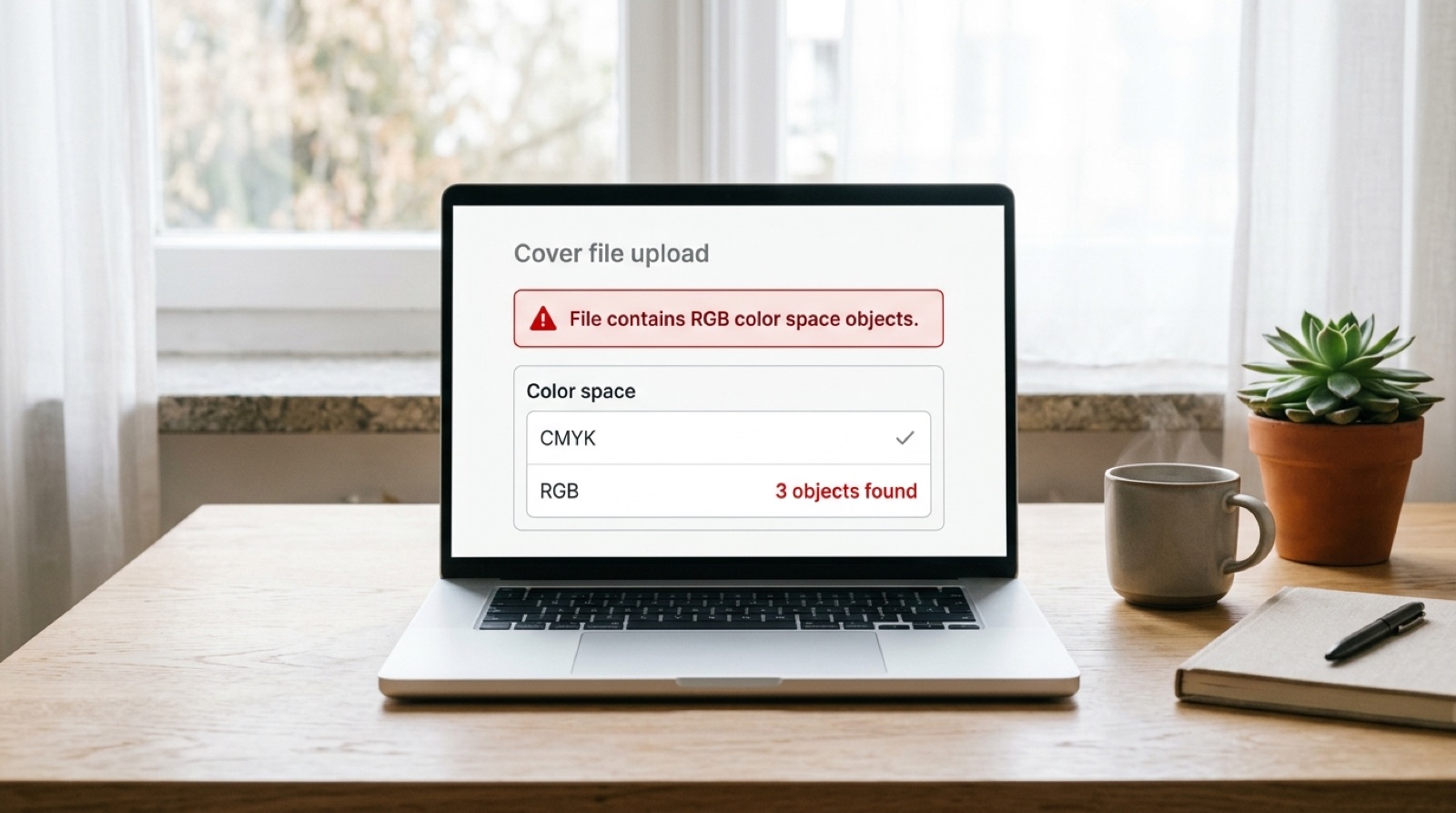
File contains RGB color space objects.
Screens build color out of light and presses build it out of ink, and the two do not map onto each other cleanly. That much is widely known. What catches people is the word objects in the message, because it means the check is not describing your file as a whole. It found specific things inside it, and the count is frequently one.
One object is enough
The message says objects, and the count is frequently one. A single placed logo, one hairline rule, one swatch left over from an early draft, and the whole file fails.
This surprises people because the check is not weighted. It does not measure how much RGB is present or where it sits. It reports that RGB exists anywhere in a document that is supposed to be entirely CMYK or grayscale. A 300 page interior with one stray element fails exactly as a cover built entirely in RGB fails.
Where RGB hides
If the file was designed properly in CMYK and still reports RGB, it came in through one of these routes.
- A placed image that was never converted. Everything downloaded from the web is RGB, and so is everything straight out of a camera or a phone.
- Artwork inside a placed EPS or PDF. The container can be CMYK while an object nested inside it is not, which is why Ingram asks for spot colors to be converted even in supporting EPS files.
- An award seal, publisher mark or retailer badge, which are almost always supplied as screen artwork.
- A swatch created early in the design and applied to something small, like a rule under a heading or a page number.
- Effects. A drop shadow or glow is rendered in the document's blending space, and if that space is RGB the flattened result carries RGB with it.
- Black typed as R0 G0 B0, which is the default black in most applications that are not print tools. This one deserves its own section.
The black text trap
This is the fault that does the most visible damage, and almost nobody sees it coming.
In an RGB document, black is red 0, green 0, blue 0. Converted to CMYK by a profile, that value does not become a clean 100 percent black. It becomes a mixture of all four inks, something in the region of 70 cyan, 67 magenta, 67 yellow and 90 black depending on the profile.
On a large solid panel that is fine and even desirable. On 10 point body text it is a problem, because four separate plates now have to land on exactly the same spot, thousands of times per page. Presses have a mechanical tolerance. Where the plates disagree by a fraction, the text picks up a colored fringe and the page reads as slightly fuzzy or tired without the reader being able to say why.
Ingram's guidance is explicit: for text at 24 point or below, use 100 percent black only. That is a single plate, so there is nothing to misregister.
Body text should be K100 and nothing else. Not RGB black, not a four-color rich black, and not black carrying an ICC profile. Ingram notes that an ICC profile applied to 100 percent black text often converts it to a percentage of gray, which is how a book ends up proofed with body copy that is not quite black.
Rich black is for panels, not paragraphs
The opposite error is also common. A large area of flat K100 looks weak and washed out next to a photograph, because one ink can only put so much pigment on uncoated paper. For those areas you want a rich black, which is K100 with other inks underneath it.
Ingram recommends 60 cyan, 40 magenta, 40 yellow, 100 black. That totals 240 percent, which is also the maximum total ink coverage the specification allows, so the recommended rich black sits exactly at the ceiling rather than under it.
What it must never be is Registration. The Registration swatch in InDesign and Illustrator is 100 in every channel, totals 400 percent, and exists so that crop marks print on every plate. Used as a fill it guarantees an ink coverage failure. There is more on that in total ink coverage and the 240 percent limit.
What happens if you leave it
Not every RGB file is refused, and this is the part worth reading twice. Ingram states that RGB files received will be converted to CMYK before printing, and that RGB or spot color with or without transparency may produce unexpected color results. It then says plainly that any dissatisfaction with color shift is the publisher's responsibility to correct.
So the choice is not between converting and not converting. The conversion happens either way. The choice is whether you control it or a machine does it for you, after which the result is yours to live with and yours to pay to reprint.
The same applies to black and white interiors. Ingram asks for grayscale, and notes that images submitted as RGB or CMYK will be converted to grayscale at print time, which can shift tone. A photograph that was carefully dodged and burned in color can come back flat.
What you actually lose in the conversion
CMYK covers a smaller range of colors than RGB. The losses are not spread evenly, and knowing where they fall tells you which covers are at risk.
| Color | What happens in CMYK |
|---|---|
| Saturated blues and violets | The worst case. Electric blue tends to shift toward purple and lose intensity |
| Bright greens | Noticeably duller, with the most vivid greens unreachable |
| Neons and fluorescents | Cannot be reproduced at all with four process inks |
| Bright oranges and reds | Usually survive reasonably well |
| Deep shadow detail | Can block up into solid black once total ink is capped |
| Skin tones | Generally fine, but worth checking on a proof |
If your cover depends on a glowing blue or an acid green, that is worth knowing before the design is finished rather than after it is printed. Converting early and designing in the space you will actually print in avoids the disappointment entirely.
How to find and fix it
- In Acrobat Pro, open Output Preview and set "Show objects in" to RGB. Everything that remains visible is RGB. This is the fastest way to find one stray element in a long document.
- Run the PDF/X-1a:2001 preflight profile, which reports RGB alongside every other compliance failure rather than just the first one.
- In InDesign, use Window, then Output, then Separations Preview to confirm which plates each element sits on. Body text should appear only on the black plate.
- Convert placed images in Photoshop with a CMYK profile rather than letting the export do it silently, so you can see the shift and correct for it.
- Convert spot and Pantone colors to CMYK, including inside placed EPS artwork, and remove ICC profiles rather than embedding them.
- Export as PDF/X-1a:2001, which forbids RGB outright. If the export succeeds, the file has no RGB left in it.
That last step is the useful shortcut. PDF/X-3:2002 is also accepted by Ingram and permits device-independent color, so an X-3 file can pass validation while still carrying color the press will convert on your behalf. X-1a does not allow the ambiguity, which is exactly why it is the safer target. See what the PDF/X-1a:2001 compliance error actually means.
The one platform where this is different
Amazon KDP accepts RGB and converts it internally, which is why authors who publish on KDP first are so often caught out by their first IngramSpark submission. Nothing was wrong with the file before. It was built to a looser rule, and the stricter platform is now applying its own.
If you distribute through both, the practical approach is to build in CMYK and supply the same converted file to both platforms. A CMYK file is acceptable to KDP, so there is no reason to maintain two color versions of the same cover. The full comparison is in KDP vs IngramSpark: why a file that passes one fails the other.
Frequently asked questions
What does 'File contains RGB color space objects' mean?
It means at least one element in your PDF is defined in RGB, the color model screens use, rather than CMYK, the four inks a press uses. The check is not weighted: one stray logo, rule or swatch fails the file exactly as a fully RGB cover does.
Why does one small RGB logo fail the whole file?
Because the check reports presence rather than quantity. It is a pass or fail gate on whether RGB exists anywhere in a document that is supposed to be entirely CMYK or grayscale, so it does not matter how small the element is or where it sits on the page.
What happens if I upload an RGB file anyway?
Ingram converts it to CMYK before printing and states that this may produce unexpected color results, with any dissatisfaction over color shift being the publisher's responsibility to correct. The conversion happens either way. The only question is whether you control it or a machine does and you live with the outcome.
Why did my black text print fuzzy after conversion?
Because RGB black, which is 0, 0, 0, converts to a mixture of all four inks rather than to clean black. Small text then needs four plates to register perfectly on the same spot, and the normal mechanical tolerance of a press shows up as a colored fringe. Ingram asks for text at 24 point and below to be 100 percent black only.
What rich black should I use?
Ingram recommends 60 cyan, 40 magenta, 40 yellow and 100 black for large dark areas. That totals 240 percent, which is the maximum total ink coverage allowed. Never use the Registration swatch, which is 100 in all four channels, totals 400 percent and exists only for printer marks.
Which colors change most when converting RGB to CMYK?
Saturated blues and violets suffer most, often shifting toward purple and losing intensity. Bright greens go duller and neons cannot be reproduced at all with four process inks. Oranges, reds and skin tones usually survive well. If a cover depends on an electric blue or an acid green, it is better to know before the design is finished.
Does Amazon KDP require CMYK too?
No. KDP accepts RGB and converts it internally, which is why authors who publish on KDP first are often caught out by their first IngramSpark submission. If you use both, build in CMYK and give the same file to both, since KDP accepts CMYK as well.
Stuck on a rejected file?
File Fix diagnoses every reason your file was refused, not just the one the printer named. Diagnosis back in three to five business days, from $99.
Get your files fixed